- Log in to Freedom24.
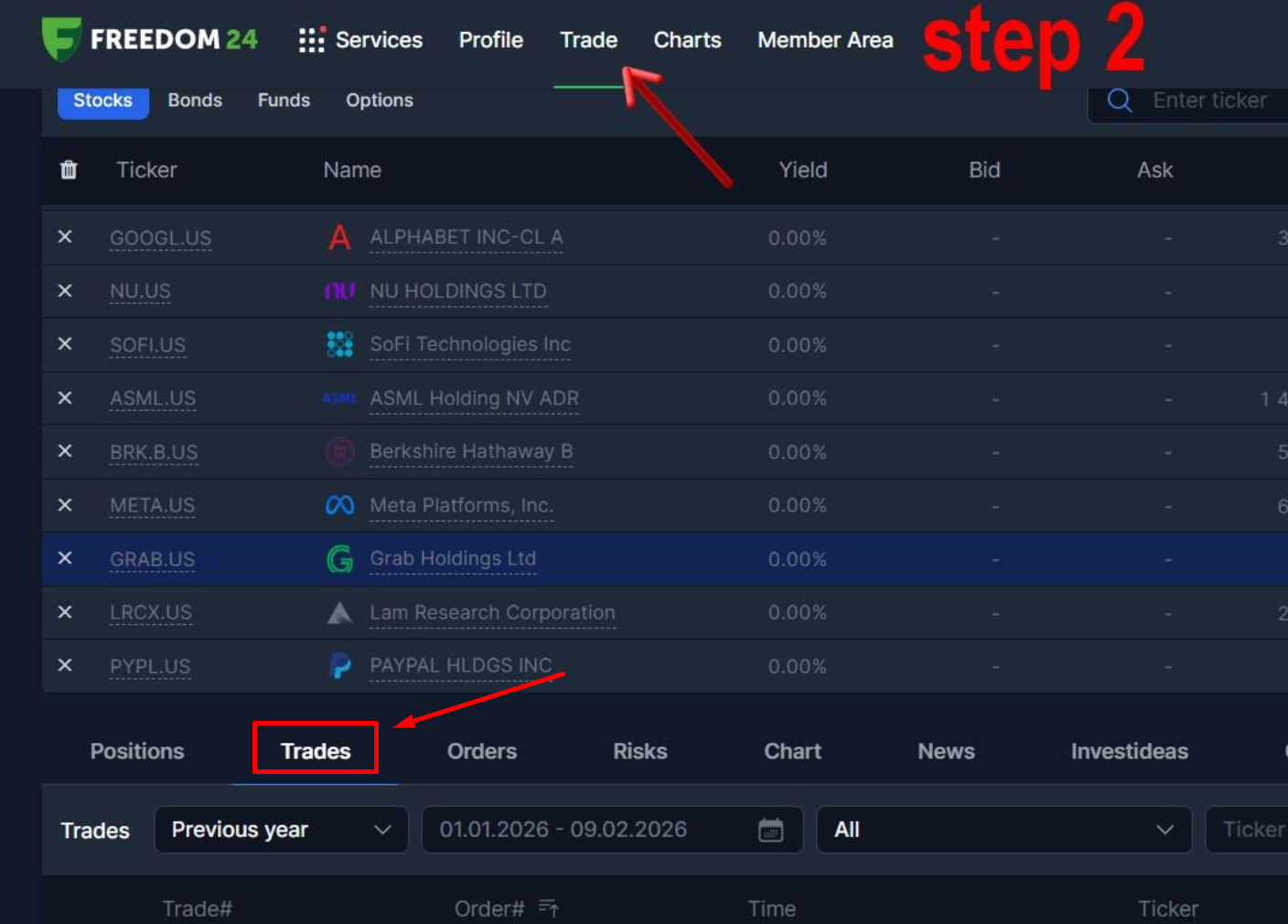
- Go to Trade → Trades.
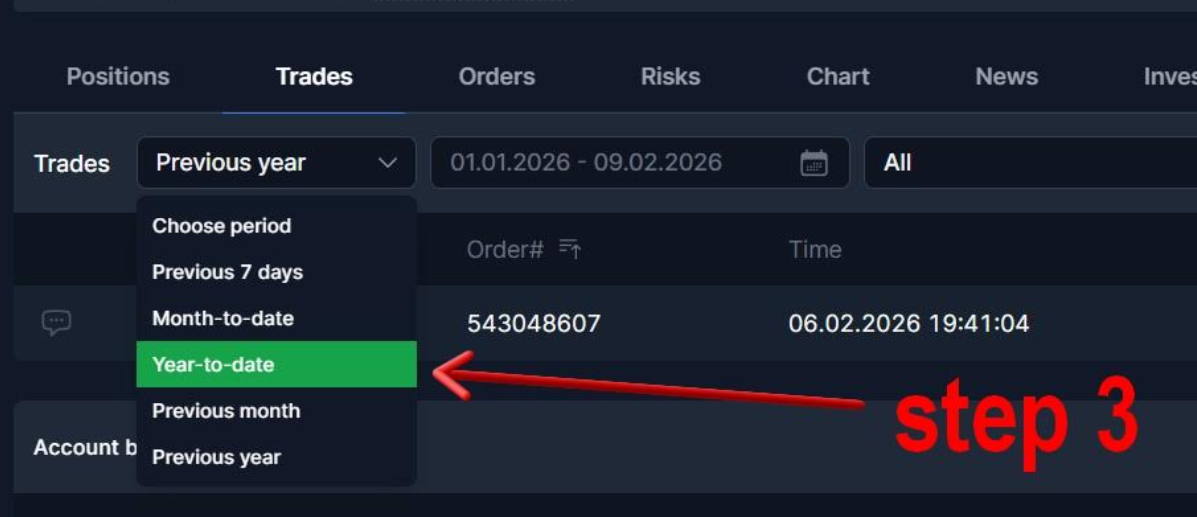
3. Set the period to Year-to-date (this is important – shorter periods sometimes result in missing data).
4. Make sure the trade is visible in the list (with exact time).
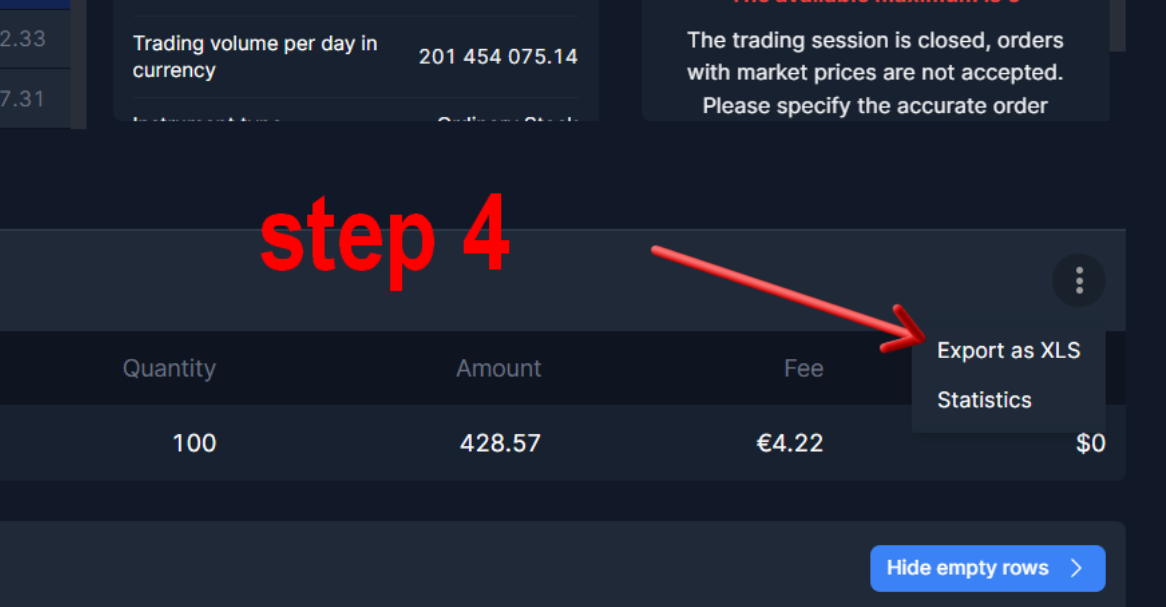
5. Click Export as XLS.
6. Save the file locally without any manual edits.
7. In Snowball, select or create the portfolio (not a composite portfolio).
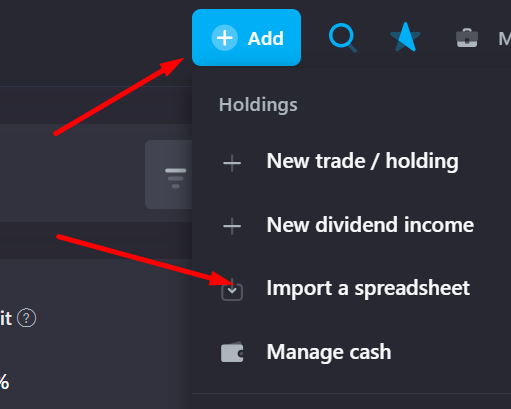
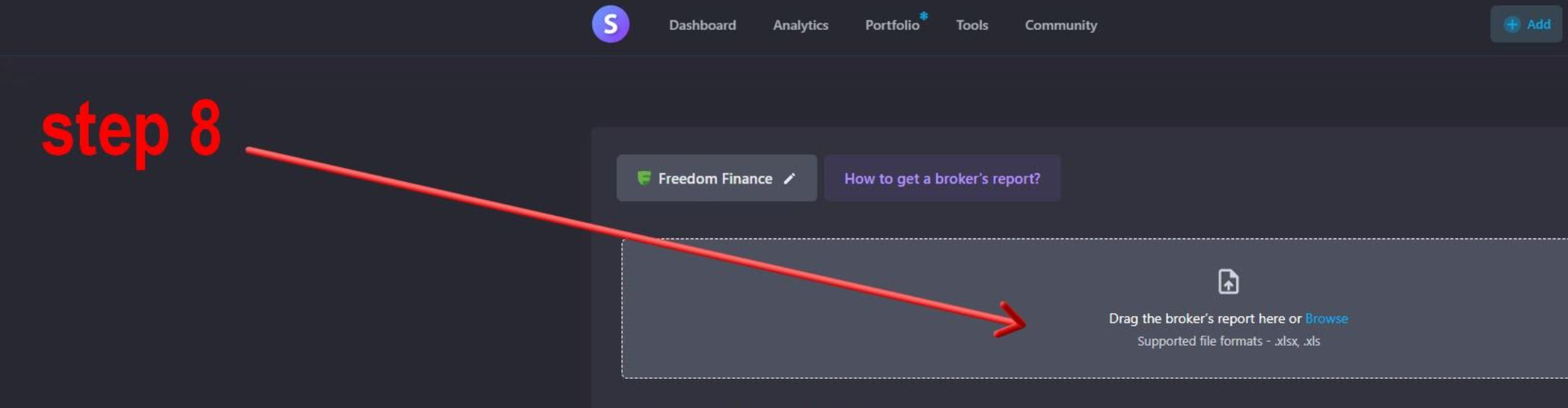
8. Use Import history and upload the exported XLS file.
9. The import completes successfully.